
OnScreen Takeoff for Woodworking
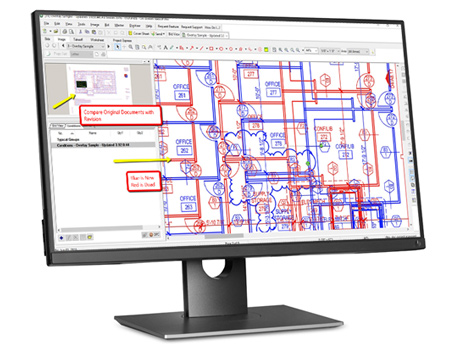
THE MOST TRUSTED
ESTIMATING TAKEOFF SOLUTION
Calculate everything you need for bidding and estimates – right on your computer screen. Streamline your takeoff process by completing your measurements and calculations as you mark up your drawings:
- Generate faster, more accurate takeoffs
- Draw takeoffs right on your screen – all calculations and measurements are done for you
- Use the optional Estimator spreadsheet to quickly complete your bids
STREAMLINE YOUR TAKEOFF
On-Screen Takeoff (OST) thinks the way you do, only faster. Calculate everything you need for your estimates right on your computer screen with just a few clicks. OST connects takeoff data to engineering systems, estimating platforms, spread sheet solutions, and the RSA Calculations Solutions. OST automatically saves your takeoff calculations for quick access to incoming change orders, and gives you a headstart on your next bid.
Easily share electronic plans between the office and the field by viewing your electronic plans on laptops or tablets. Use the optional Estimator spreadsheet to quickly and easily create estimates and bids.
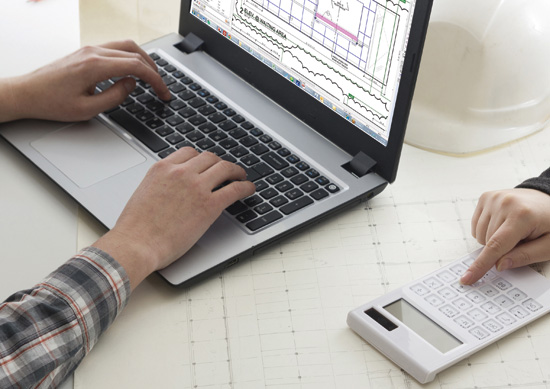
Return on Investment Facts:
- No need to print out jobs you do not win, typical savings is 6 cents per square foot
- Collect data quickly and triple your takeoff speed
- More accurate takeoffs = more accurate, profitable bids/estimates
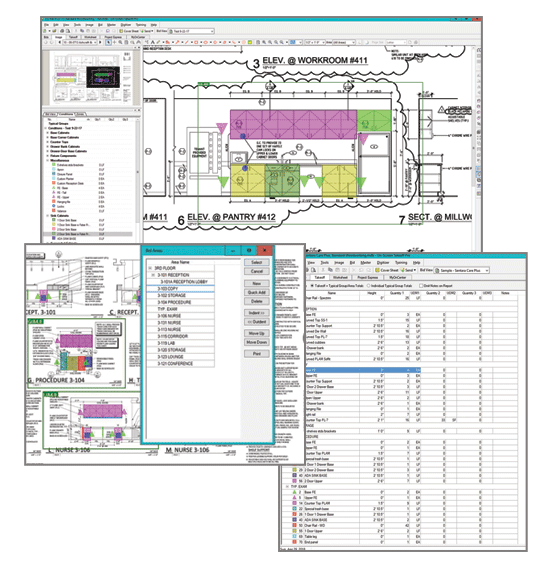
TRUST THE TAKEOFF
OST increases efficiency, productivity, and profit before the bidding process begins and ensures accurate takeoff quantities for bidding jobs.
OST produces area takeoff with one click. It reduces errors and missed takeoff with a visual audit trail of the quantity takeoff. Quantities are instantly available for length, surface area, volume and count, eliminating errors and labor time spent on manual calculations.
- Auto-count objects, annotations, and callouts
- Intelligent paste logic
- Multi-condition takeoff
- No paper. Point, click, & drag
- Revision visual overlay
- Style sheets & templates
- Advanced area and linear takeoff tools
- Customizable and reusable conditions
- Woodworking conditions library is included
ONSCREEN TAKEOFF SYSTEM REQUIREMENTS
| Operating System Recommended | Windows® 10 Pro or Home |
| Operating System Supported | Windows® 8.1 Pro Windows® 7 Pro 32-Bit and 64-Bit |
| CPU Processor Required | Intel-compatible 1GHz processor or faster |
| CPU Processors Recommended | Intel Core i5 or faster |
| Memory & Storage Required | 4 GB RAM 1 GB Hard drive space (plus more for plans, projects) |
| Memory & Storage Recommended | 8 GB RAM or more (and 64-Bit operating system) |
| Display Resolution |
Min. Display 1200 x 1024 |
| Internet Connection | Required |
| Installation | Must be installed by local Windows Administrator (security policy may restrict Domain Admins) net 3.5 required for Contractor Suite Products |